Mastering Texture: A Practical Look at the Grunge Brush Stroke Set for Procreate and Beyond
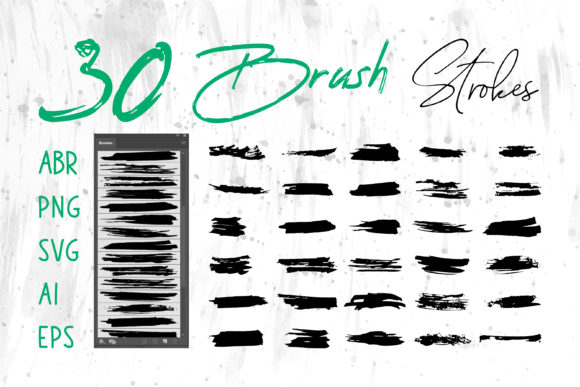
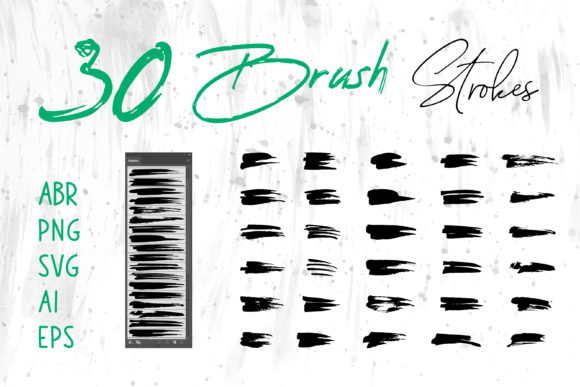
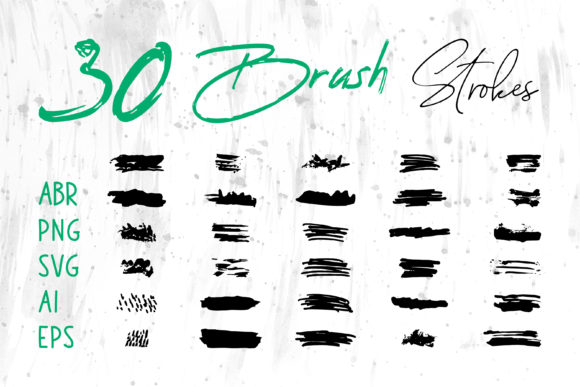
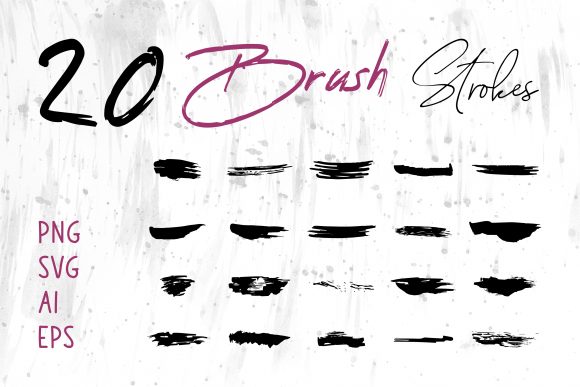
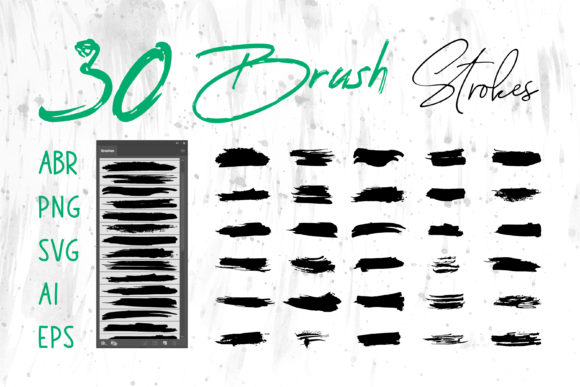
In the world of digital design, texture is often the dividing line between a flat, sterile composition and one that feels tactile, organic, and alive. For designers, illustrators, and content creators working across various platforms, finding high-quality textural elements that translate seamlessly between software ecosystems can be a significant hurdle. This is where a comprehensive Grunge Brush Stroke Set becomes an invaluable asset. While originally marketed with a focus on the Procreate Brush ecosystem, the true utility of this collection lies in its versatility. By including files in formats such as ABR, PNG, SVG, AI, and EPS, this set bridges the gap between raster-based painting and vector-based layout, offering a robust solution for professionals who refuse to be limited by a single application.
The Core Value of Multi-Format Flexibility
The primary strength of this specific brush stroke collection is not merely the aesthetic quality of the grunge marks, but the sheer breadth of file formats provided. In a typical workflow, a designer might sketch in Procreate on an iPad, refine vectors in Adobe Illustrator, compose a layout in InDesign, and finalize assets in Photoshop. Traditionally, moving textured elements between these programs involves cumbersome workarounds, such as exporting high-resolution PNGs that lose scalability or attempting to trace raster images which often results in loss of detail.
This set eliminates those friction points. The inclusion of ABR (Adobe Photoshop) files means that the organic feel of the Procreate brushes can be replicated directly within the industry-standard photo editing suite. Simultaneously, the presence of AI, EPS, and SVG files ensures that these strokes are available as scalable vectors. This is critical for print projects like packaging or large-format banners where resolution independence is non-negotiable. Furthermore, the inclusion of standard image formats like PNG allows for immediate drag-and-drop usage in presentation software like MS PowerPoint or word processors like MS Word, making high-end design accessible even for non-designers creating internal reports or pitch decks.
Evaluating Quality and Usability in Real-World Scenarios
When evaluating the practical application of a Grunge Brush Stroke Set, consistency and edge definition are paramount. Poorly executed grunge brushes often appear muddy or pixelated when scaled, defeating the purpose of using them for professional output. In real-world testing, the vector components (SVG, AI, EPS) of this set demonstrate clean paths and well-defined irregularities. This allows a logo designer to apply a distressed effect to a brand mark without worrying about jagged edges appearing when the logo is resized for a business card versus a billboard.
For digital artists using the Procreate Brush versions, the pressure sensitivity and flow dynamics are generally tuned to mimic traditional media like dry ink, charcoal, or worn paint rollers. This creates a natural variation in stroke width and opacity that is difficult to replicate manually. The reliability of these brushes shines in iterative design processes. Whether you are blocking out a concept for a book cover or adding subtle noise to a social media banner, the brushes respond predictably, allowing for rapid experimentation without the need to constantly adjust settings.
Applications Across Diverse Industries
The versatility of this asset pack makes it suitable for a wide array of industries and project types. Here is how different professionals can leverage these tools:
- Branding and Logo Design: The vector formats allow for the creation of unique, textured logotypes that stand out in crowded marketplaces. The grunge aesthetic adds a layer of authenticity and heritage, which is particularly effective for craft breweries, artisanal food brands, and vintage-style apparel lines.
- Packaging and Print: Designers working on product packaging can use the high-resolution PNGs or vector files to create tactile backgrounds. These textures simulate the look of stamped ink or worn paper, adding perceived value to the physical product before the customer even touches it.
- Digital Marketing and Social Media: Content creators need to produce visuals quickly. Having pre-made brush strokes that can be dropped into Instagram stories, Facebook headers, or YouTube thumbnails saves hours of custom illustration time. The "ready-to-use" nature of the PNG files is particularly beneficial here.
- Publishing and Education: Authors and educators creating eBooks, worksheets, or presentations can use these elements to break up text-heavy layouts. A simple grunge underline or background splash in MS Word or PowerPoint can make educational materials feel more engaging and less corporate.
- Craft and DIY Projects: For hobbyists involved in digital scrapbooking or creating printable crafts, the variety of strokes offers endless creative possibilities for embellishing pages and cards without needing advanced artistic skills.
Workflow Integration and Efficiency
One of the most overlooked aspects of digital assets is how they fit into an existing workflow. A common pitfall with many brush sets is that they are siloed; you buy a Procreate set, and you are stuck in Procreate. This Grunge Brush Stroke Set disrupts that limitation. Consider a scenario where a freelancer is designing a T-shirt graphic. They might start by sketching ideas using the Procreate Brush on their tablet to take advantage of the intuitive interface. Once the concept is approved, they can switch to Adobe Illustrator on their desktop, importing the corresponding SVG or AI files to vectorize the artwork for screen printing. Finally, they can use the ABR files in Photoshop to create mockups showing how the design looks on fabric.
This seamless transition between devices and software significantly reduces production time. It also ensures color consistency and shape fidelity across different stages of the project. For small business owners who may not have a dedicated design team, this flexibility means they can maintain a consistent visual identity across their website, social media, and printed merchandise without needing to hire multiple specialists or purchase separate asset packs for each program.
Limitations and Considerations
While the comprehensive nature of this set is a major advantage, users should approach it with a clear understanding of their specific needs. Grunge textures are stylistic; they convey a specific mood of ruggedness, age, or raw energy. They may not be suitable for projects requiring a sleek, ultra-modern, or corporate minimalist aesthetic. Overuse of grunge elements can lead to visual clutter, so restraint and thoughtful composition are necessary.
Additionally, while the vector files offer scalability, the complexity of some grunge paths can sometimes increase file size in vector applications, potentially slowing down performance on older hardware when dealing with hundreds of overlapping strokes. Users working on complex illustrations should manage their layers efficiently. Furthermore, while the set includes formats for MS Word and PowerPoint, users should remember that these programs are not dedicated design tools; manipulating complex vectors within them may be limited compared to using Adobe Creative Cloud applications.
Final Verdict on Long-Term Value
Investing in a multi-format Grunge Brush Stroke Set is a strategic move for any creative professional or serious hobbyist looking to expand their visual vocabulary. The value proposition extends far beyond the initial purchase price when considering the time saved in sourcing compatible assets and the increased quality of the final output. The ability to toggle between raster and vector workflows provides a safety net for designers, ensuring that their creative vision is never compromised by technical limitations.
Whether you are crafting a logo for a new startup, designing a book cover that needs to pop on a thumbnail, or simply adding a touch of personality to a quarterly report, this collection offers the necessary tools to execute those ideas effectively. Its strength lies in its adaptability; it grows with your projects, supporting everything from quick social media posts to large-scale commercial印刷 runs. In an industry where efficiency and quality are equally prized, having a reliable library of textures that works everywhere you do is not just a convenience—it is a fundamental component of a modern, agile design toolkit.