Integrating the Paint Stain Brush and Brush Stroke Set into Professional Design Workflows
In the fast-paced environment of modern digital design, efficiency often dictates the quality of the final output. Whether you are a freelance graphic designer managing multiple client deadlines, a small business owner creating marketing materials, or an educator developing engaging visual aids, the tools you choose directly impact your productivity. The Paint Stain Brush, Brush Stroke Set represents more than just a collection of digital assets; it is a versatile component designed to streamline the creative process across various stages of a project. By understanding how to integrate these assets effectively, creators can reduce production time while maintaining a high standard of aesthetic consistency.
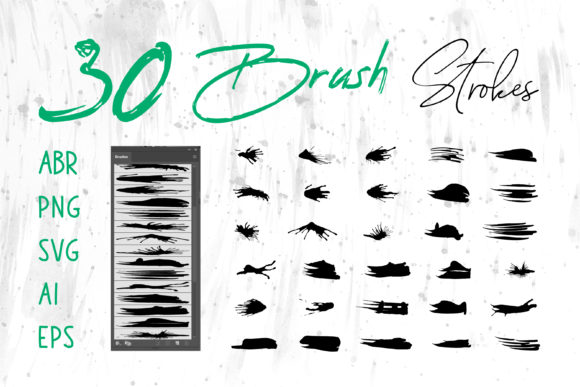
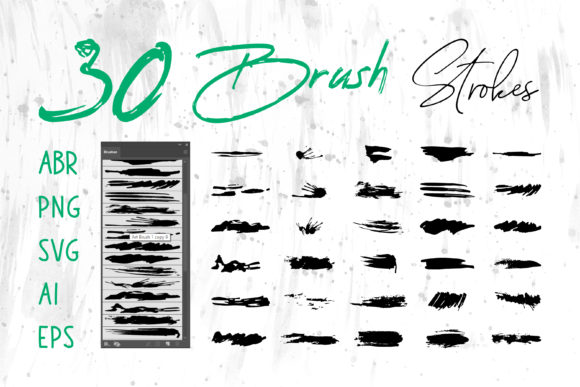
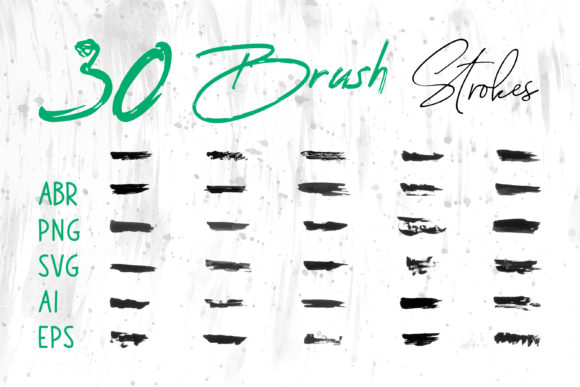
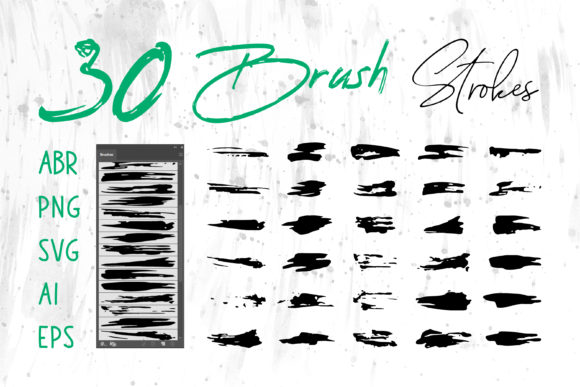
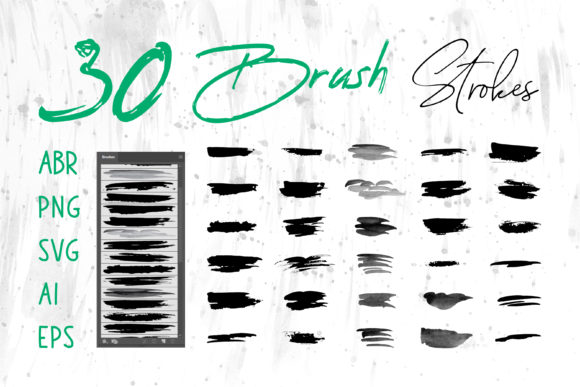
This comprehensive set includes files in multiple formats—ABR for Adobe Photoshop, ProCreate brushes for iPad users, and vector-based files like SVG, AI, EPS, and Brush Strokes.ai for Adobe Illustrator. Additionally, the inclusion of PNG files ensures compatibility with broader software ecosystems such as MS Word, MS PowerPoint, and web design platforms. This multi-format approach eliminates the friction often encountered when trying to adapt a specific texture or stroke style across different applications, allowing for a seamless transition from concept to execution.
Strategic Placement in the Creative Lifecycle
Understanding where the Paint Stain Brush, Brush Stroke Set fits within a broader workflow is essential for maximizing its utility. These assets are not merely decorative add-ons used at the very end of a project; they can serve critical functions during the planning, execution, and refinement phases.
During the Conceptualization Phase: Before a final design is locked in, designers often need to establish a mood or texture direction. Using the ABR or ProCreate files allows for rapid sketching and ideation. The organic nature of paint stains and brush strokes helps break the rigidity of digital grids, enabling a more human-centric approach to early drafts. This is particularly useful for logo concepts or book cover layouts where a handcrafted feel is desired without the time commitment of traditional media.
In the Production Phase: Once the direction is set, the vector files (AI, EPS, SVG) become invaluable. Unlike raster images that lose quality when scaled, vector brush strokes ensure crisp edges on large-format prints like banners, packaging, or T-shirts. Integrating these elements at this stage ensures that the design remains resolution-independent. For web designers, the PNG versions offer optimized, transparent backgrounds ready for immediate deployment in social media banners or website headers, reducing the need for additional masking or editing.
Post-Production and Adaptation: The versatility of this set shines when repurposing content. A stroke element created for a T-shirt design can be quickly adapted for a digital scrapbook or a PowerPoint presentation using the compatible file types. This cross-platform usability supports a "create once, use everywhere" mentality, which is crucial for maintaining brand consistency across diverse touchpoints.
Software Compatibility and Technical Integration
The true power of the Paint Stain Brush, Brush Stroke Set lies in its technical flexibility. Modern workflows rarely rely on a single application; instead, they involve a suite of tools working in tandem. Here is how these assets interact with industry-standard software:
- Adobe Photoshop & ProCreate: The .ABR and ProCreate-specific files allow for dynamic painting. Users can adjust opacity, flow, and pressure sensitivity to create unique variations of the stain effects. This is ideal for adding depth to digital illustrations or creating textured backgrounds for card designs.
- Adobe Illustrator & InDesign: The .AI, .EPS, and SVG files provide full editability. Designers can change colors to match specific brand palettes, modify anchor points to alter the shape of a stroke, or combine multiple elements to create complex patterns. In InDesign, these vector assets can be placed directly into layout documents for brochures and magazines without worrying about pixelation.
- Office Suites (MS Word & PowerPoint): The included PNG files bridge the gap between professional design software and everyday office tools. Marketers and educators can drag and drop high-quality brush elements directly into presentations or reports to elevate the visual appeal of standard documents.
When integrating these files, it is important to consider color modes. Vector files should be managed in CMYK for print projects like packaging and book covers to ensure color accuracy, while RGB is suitable for digital outputs like websites and social media banners. Proper organization of these files into labeled folders based on format and intended use can significantly speed up retrieval times during high-pressure deadlines.
Practical Applications Across Industries
The application of the Paint Stain Brush, Brush Stroke Set extends far beyond traditional graphic design. Its adaptability makes it a valuable resource for various sectors:
Branding and Marketing
For entrepreneurs and marketers, establishing a distinct visual identity is paramount. Brush strokes can serve as dynamic underlines for headlines, frames for testimonials, or background textures for social media posts. The organic imperfection of a paint stain adds a layer of authenticity that resonates with audiences tired of overly polished, corporate aesthetics. When designing a logo, combining a clean typographic element with a custom brush stroke can create a memorable mark that stands out in a crowded marketplace.
E-Commerce and Product Packaging
In the realm of physical products, texture plays a crucial role in perceived value. Using the vector versions of these brushes on packaging designs allows for high-resolution printing that captures the nuance of the brushwork. Whether it is a craft beer label, a cosmetic box, or a T-shirt graphic, these elements add a tactile quality to the visual experience. The scalability of the SVG and EPS formats ensures that the design looks just as sharp on a small sticker as it does on a large shipping box.
Education and Content Creation
Educators and bloggers often struggle to make static content engaging. Incorporating brush stroke dividers, highlighted text backgrounds, or decorative borders using the PNG or PowerPoint-compatible files can transform a standard slide deck or blog post into a visually stimulating narrative. Digital scrapbookers also benefit from the variety of strokes available, allowing them to layer elements creatively to preserve memories with an artistic flair.
Optimizing Workflow Efficiency and Quality Control
To fully leverage the Paint Stain Brush, Brush Stroke Set, one must adopt a structured approach to asset management. Efficiency is not just about having the tools; it is about knowing how to access and apply them quickly.
Preparation and Organization: Before starting a project, import the ABR files into Photoshop's brush library and load the ProCreate sets onto your tablet. Organize the vector files in a cloud-synced folder accessible from all workstations. This preparation minimizes interruptions during the creative flow. Create a "swatch sheet" or a reference document displaying the different stroke variations available in the set; this serves as a quick menu during the design process, preventing decision fatigue.
Consistency and Variation: While the set offers variety, maintaining consistency is key for branding. Select two or three specific strokes from the set to serve as primary brand elements. Use these consistently across all materials—from the website header to the business card. However, do not be afraid to experiment with color overlays and blending modes within your software to create new variations from the same base asset. This balances brand recognition with visual freshness.
Quality Control: Always preview vector assets at 100% zoom before finalizing print files to ensure no unintended artifacts exist at the anchor points. For raster files (PNG/ABR), verify that the resolution matches the output requirement (typically 300 DPI for print, 72 DPI for web). When using these elements in composite designs, pay attention to layer hierarchy; placing a brush stroke behind text may require adjusting opacity or adding a subtle drop shadow to ensure legibility.
Long-Term Value and Scalability
Investing in a multi-format asset pack like this provides long-term value as your needs evolve. As a business grows, its design requirements often shift from simple social media graphics to complex packaging and large-scale advertising. Because this set includes both raster and vector formats, it scales with your ambitions. You are not limited by the resolution of a JPEG or the constraints of a single software ecosystem.
Furthermore, the ability to use these assets in non-design specific software like MS Word and PowerPoint empowers team members who may not have access to Adobe Creative Cloud to maintain visual standards. This democratization of design assets fosters better collaboration between departments, ensuring that the final output remains cohesive regardless of who is handling the task.
In conclusion, the Paint Stain Brush, Brush Stroke Set is a strategic tool for anyone involved in visual communication. By offering a robust range of formats including ABR, ProCreate, PNG, SVG, AI, and EPS, it removes technical barriers and allows creators to focus on the artistic and functional aspects of their work. Whether you are crafting a logo, designing a book cover, or enhancing a presentation, integrating these elements thoughtfully into your workflow will yield results that are both efficient and aesthetically compelling. The key lies in preparation, understanding the strengths of each file type, and applying them with intentionality to enhance your unique creative vision.