Evaluating the Versatility of a Multi-Format Brush Collection and Stroke Set for Modern Design Workflows
In the evolving landscape of digital design, the utility of a creative asset is often defined not just by its aesthetic quality, but by its adaptability across different software environments. A comprehensive Brush Collection or Brush Stroke Set serves as a foundational resource for designers, illustrators, and crafters who need to maintain consistency while switching between vector-based and raster-based applications. When evaluating such resources, the primary differentiator is rarely the visual style alone; it is the breadth of file formats included and how seamlessly they integrate into diverse workflows ranging from professional Adobe suites to everyday office productivity tools.
The Strategic Value of Multi-Format Inclusion
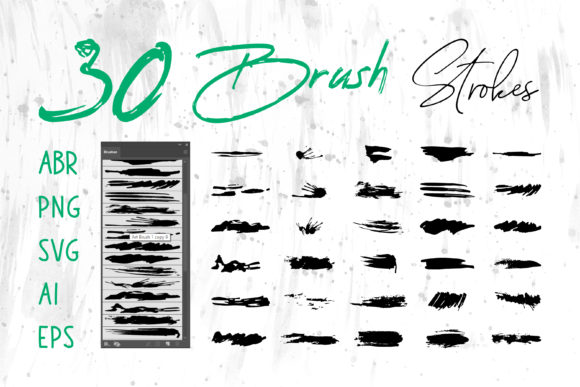
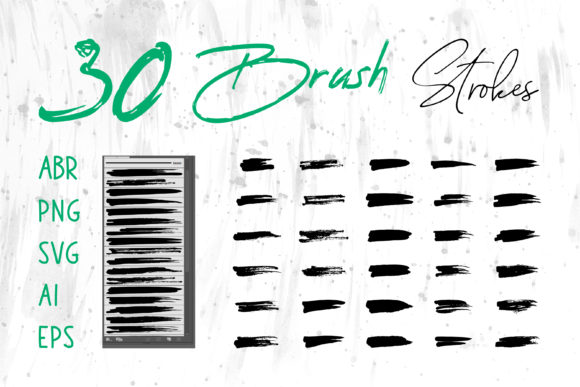
The core advantage of a robust brush stroke set lies in its file format diversity. Many basic assets are limited to a single type, such as .ABR files for Photoshop or .AI files for Illustrator. While these are essential for specific tasks, they create friction when a project requires cross-platform execution. A truly versatile collection includes ABR (Adobe Photoshop), ProCreate brushes, and vector formats like SVG, AI, and EPS, alongside universal raster images like PNG.
This variety addresses a common pain point: the need to recreate effects manually when moving between programs. For instance, a designer might sketch a concept in ProCreate on an iPad using native brush files, then refine the line work in Adobe Illustrator using the corresponding vector strokes, and finally apply texture in Photoshop with the ABR files. Having all these formats in one Brush Collection eliminates the guesswork and ensures that the stroke weight, texture, and organic feel remain consistent throughout the production pipeline.
Vector vs. Raster: Understanding the Tradeoffs
When deciding how to utilize a Brush Stroke Set, it is crucial to understand the distinction between the vector and raster components provided. Vector formats (AI, EPS, SVG) are mathematically defined paths. Their primary strength is scalability; you can enlarge a vector brush stroke to the size of a billboard without any loss of resolution or pixelation. This makes them the superior choice for logo design, large-format packaging, and print materials where crisp edges are mandatory.
Conversely, raster formats (ABR, PNG, ProCreate) rely on pixels. These files excel at capturing complex textures, pressure sensitivity, and organic imperfections that vectors sometimes struggle to replicate naturally. An ABR file in Photoshop allows for dynamic control over opacity and flow based on stylus pressure, offering a painterly feel that is difficult to achieve with static vector shapes. However, raster images have a fixed resolution. If a PNG brush stroke is enlarged beyond its original dimensions, it will appear blurry or jagged.
A well-curated collection provides both, allowing the user to choose the right tool for the specific constraint of the project. If the end goal is a website banner where file weight and responsiveness matter, SVG might be the optimal choice. If the goal is a textured book cover with deep shadows and grain, the Photoshop ABR files would likely yield a more authentic result.
Integration Across Professional and General Software
The utility of a Brush Collection extends beyond the specialized realm of graphic design software. While professionals heavily rely on Adobe Creative Cloud applications like Adobe Illustrator, Adobe Photoshop, and Adobe InDesign, there is a growing demand for high-quality graphics in general productivity software. The inclusion of standard image formats like PNG and vector files like SVG or EMF (often convertible from AI/EPS) bridges this gap.
For users working in MS Word or MS PowerPoint, the ability to insert pre-made, high-quality brush strokes can elevate the visual appeal of presentations and documents without requiring external design tools. A PNG brush stroke with a transparent background can be dragged directly into a slide to create custom dividers, bullet points, or accent marks. Similarly, vector files can often be imported into these programs and ungrouped, allowing users to change colors to match corporate branding instantly. This cross-compatibility makes a comprehensive Brush Stroke Set a valuable asset for marketers, educators, and small business owners who may not have access to professional design suites but still require polished visuals.
Practical Applications in Diverse Projects
The versatility of these assets shines when applied to specific use cases. Consider the following scenarios where a multi-format set proves indispensable:
- Logo Design and Branding: A startup needing a hand-drawn logo benefit significantly from the AI or EPS files. These allow the designer to manipulate anchor points, ensuring the logo scales perfectly from a business card to a storefront sign. The vector format ensures the brand identity remains sharp in all contexts.
- Packaging and Print: For product packaging, the EPS format is often the industry standard for sending files to printers. It guarantees that the brush strokes used in the artwork will reproduce accurately on physical materials, avoiding the risk of pixelation that can occur with low-resolution raster images.
- Digital Media and Web: Social media banners and website headers often require a balance of texture and load speed. PNG files offer a good compromise, providing transparency and decent quality, while SVG files ensure the graphics look crisp on high-DPI retina displays without increasing file size significantly.
- Craft and DIY Projects: Individuals creating digital scrapbooks, greeting cards, or T-shirt designs often use a mix of software. A crafter might use ProCreate for the initial artistic layout and then switch to a desktop program to finalize the design for printing. Having the brush strokes available in both native ProCreate format and universal PNG/AI formats streamlines this hybrid workflow.
Making the Right Choice: Limitations and Considerations
While a comprehensive Brush Collection offers immense flexibility, it is not always the necessary solution for every user. Beginners or those working on very simple projects might find the sheer number of formats overwhelming. If a user only ever works in Microsoft Word, purchasing a set heavy on ABR and ProCreate files may provide little added value, as those specific formats cannot be utilized in that environment. In such cases, a simplified set containing only PNGs might be more cost-effective and easier to manage.
Furthermore, users must consider their technical proficiency. Working with AI or EPS files requires a fundamental understanding of vector editing tools like the Pen Tool or Direct Selection Tool in Illustrator. Without these skills, the vector component of a Brush Stroke Set may go underutilized. Similarly, maximizing the potential of ABR files requires familiarity with Photoshop's brush engine settings, such as scattering, shape dynamics, and transfer options.
Another factor to weigh is the style consistency. Some collections offer hundreds of brushes that vary wildly in style, which can lead to a disjointed final product if not curated carefully. It is often better to select a set where the strokes share a cohesive artistic voice, ensuring that whether you are using the vector outline or the raster texture, the final design feels unified.
Final Thoughts on Resource Selection
Ultimately, the decision to invest in a specific Brush Collection or Brush Stroke Set should be driven by the scope of your current and future projects. If your workflow involves jumping between tablet sketching, vector refinement, and final compositing, or if you need assets that function equally well in professional design software and office applications, a multi-format set is an efficient investment. It reduces the time spent converting files and searching for compatible alternatives.
However, if your needs are highly specialized or limited to a single platform, a targeted resource might serve you better. By evaluating the specific formats included—ABR, ProCreate, PNG, SVG, AI, EPS—against your actual software toolkit, you can ensure that the resources you choose genuinely enhance your productivity rather than adding unnecessary complexity to your digital library.