Dirty Brush Collection: Raw Texture for Bold Designs
There is a specific kind of energy that only rough, textured strokes can bring to a visual project. In a digital landscape often dominated by sleek vectors and perfect gradients, the Dirty Brush Collection offers a necessary counterpoint. It brings the imperfection of human touch back into the workflow, providing designers and creators with tools that feel organic, urgent, and undeniably real. This isn't just about adding noise to a background; it is about injecting personality into brand identities, marketing materials, and creative expressions that need to stand out without shouting.
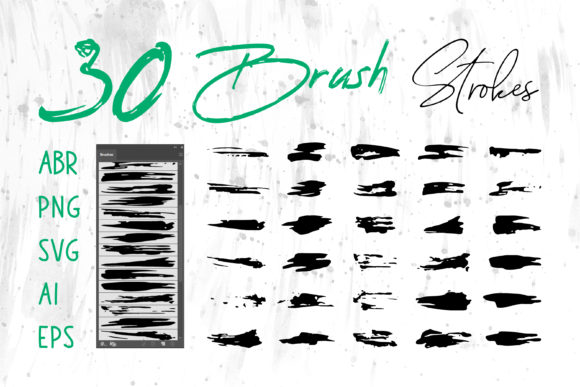
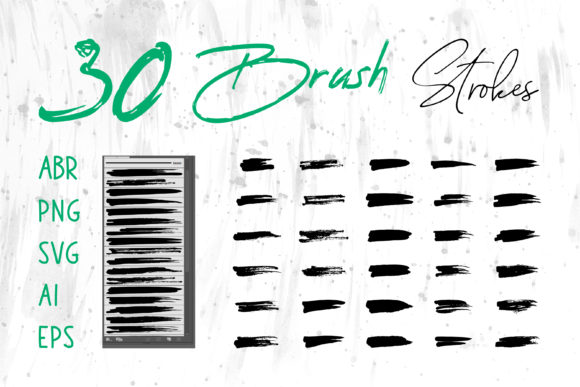
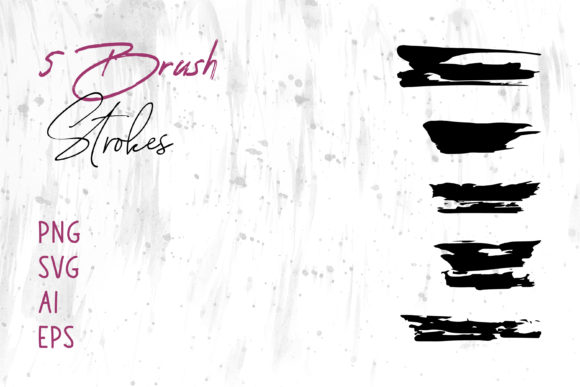
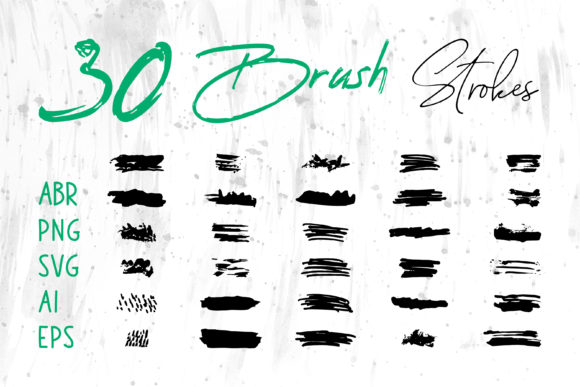
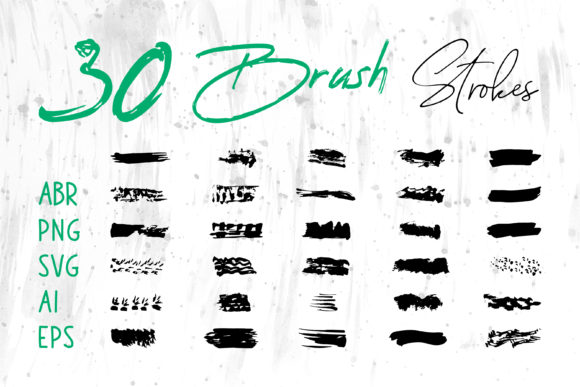
The core appeal of this collection lies in its versatility across formats. Whether you are working in Adobe Photoshop to create a moody social media banner or using Adobe Illustrator to craft a scalable logo, having access to high-quality brush strokes in multiple file types changes how you approach texture. The collection includes ABR files for direct painting in Photoshop and Procreate, allowing for dynamic, pressure-sensitive application. Simultaneously, the inclusion of SVG, AI, EPS, and PNG formats ensures that these same textures can be manipulated as vector shapes or dropped instantly into layout software like Adobe InDesign, MS Word, or MS PowerPoint. This cross-platform compatibility means you aren't locked into one ecosystem; you can move assets freely between raster and vector environments while maintaining the gritty integrity of the original stroke.
Defining the Aesthetic of Imperfection
Visually, the Dirty Brush Collection embodies the "grunge" aesthetic but refines it for modern commercial use. Unlike older, pixelated grunge textures that often looked muddy when scaled, these brush strokes retain clarity. They feature dry edges, splatter details, and varying opacity that mimic the behavior of actual paint on rough paper or concrete. The style is raw yet controlled, making it suitable for projects that require a sense of rebellion, authenticity, or urban sophistication.
When you apply these strokes to a brand identity, they immediately shift the perception of the company. A clean, sans serif font paired with a dirty brush underline suggests a business that is professional but approachable, established but innovative. It works exceptionally well for industries like streetwear fashion, craft breweries, music festivals, and artisanal food packaging. In these sectors, consumers often look for signals of human craftsmanship rather than mass-produced perfection. The irregular lines of the brush strokes serve as a visual cue that there is a person behind the product, fostering a deeper emotional connection with the audience.
For editorial design and book covers, these elements add a layer of depth that flat colors cannot achieve. Imagine a thriller novel cover where the title is partially obscured by a jagged black smear, or a magazine spread where pull quotes are highlighted with a rough, painted swatch. These small interventions break up the rigidity of the grid, guiding the reader's eye through the page in a more natural, less mechanical way. The texture creates a tactile sensation, even on a screen, making the content feel more substantial and worthy of attention.
Practical Applications Across Media
The true value of the Dirty Brush Collection becomes apparent when you consider the sheer range of its applications. Because the files are provided in both raster (PNG, ABR) and vector (SVG, AI, EPS) formats, the limitations usually associated with textured graphics disappear. Vector files allow you to scale a brush stroke to the size of a billboard without losing edge definition, while raster files provide immediate, ready-to-use overlays for digital compositions.
- Packaging Design: Use the strokes as background elements on labels for hot sauce bottles, coffee bags, or cosmetic containers. The texture contrasts beautifully with metallic foils or matte finishes.
- Social Media Graphics: Create eye-catching stories and posts by using the brushes to frame text or highlight key selling points. The organic shape stops the scroll in a feed full of perfect squares.
- T-Shirt and Apparel: The high-contrast nature of these strokes makes them ideal for screen printing. They hold up well on fabric, providing a vintage, worn-in look right out of the press.
- Digital Scrapbooks and Craft Projects: Hobbyists can drag and drop PNGs directly into digital planners or scrapbook layouts to add a handmade feel without the mess of actual paint.
- Presentations and Documents: Even in corporate settings, dropping a subtle brush accent into an MS PowerPoint slide or a proposal in MS Word can make the document feel bespoke and thoughtfully designed.
In web design, these assets are particularly effective for hero sections or call-to-action buttons. A button with a rough, painted background often converts better than a standard rounded rectangle because it feels interactive and unique. However, readability remains paramount. When using these heavy textures behind text, ensure there is sufficient contrast. You might need to place a solid color block behind your typography or use the brush strokes as decorative borders rather than direct backgrounds for body copy.
Strategic Integration and Font Pairing
Using textured brushes effectively requires a keen eye for balance. The Dirty Brush Collection is powerful, which means it can easily overwhelm a design if not handled with care. The key is to treat these strokes as accent pieces rather than the main event, unless the entire concept relies on chaos and abstraction. When integrating these elements, consider how they interact with your chosen typeface.
For a striking logo design, pair these rough strokes with a clean, geometric sans serif font. The juxtaposition creates a dynamic tension that is visually engaging. Alternatively, combining them with a classic serif font can yield a sophisticated, editorial look often seen in high-end fashion or luxury goods that want to appear edgy. Avoid pairing them with overly decorative script fonts or other handwritten fonts unless you are aiming for a very specific, cluttered collage style, as too many competing organic shapes can reduce legibility and brand recognition.
Consistency is crucial for maintaining professionalism. If you use a specific brush style from the collection for your Instagram headers, try to echo that same texture in your email newsletters and printed flyers. This repetition builds a cohesive brand identity that audiences can recognize instantly. It signals that every touchpoint has been considered, reinforcing trust and reliability.
Before finalizing any commercial project, always review the licensing terms included with the download. While these assets are designed for broad use in commercial fonts and design projects, understanding the scope of the license ensures you are protected when selling products like t-shirts or packaging. Test your designs at different sizes; a stroke that looks perfect on a desktop monitor might disappear on a mobile device or become a muddy blob when printed small. Adjust the scale and opacity accordingly to ensure the texture enhances rather than obscures your message.
Ultimately, the Dirty Brush Collection is more than just a set of files; it is a toolkit for adding soul to digital work. By bridging the gap between traditional artistry and modern software capabilities, it empowers creators to produce work that feels alive. Whether you are a seasoned graphic designer refining a client's pitch or a small business owner creating your first ad campaign, these tools provide the raw material needed to make your vision tangible and impactful.