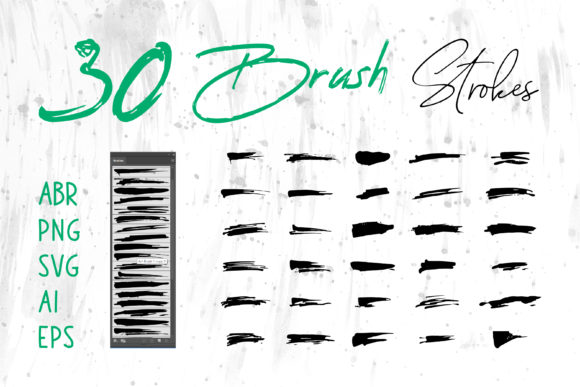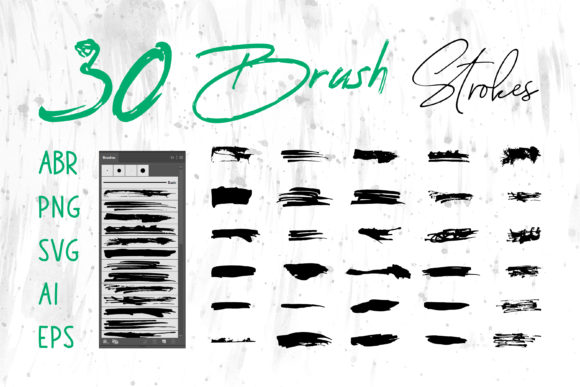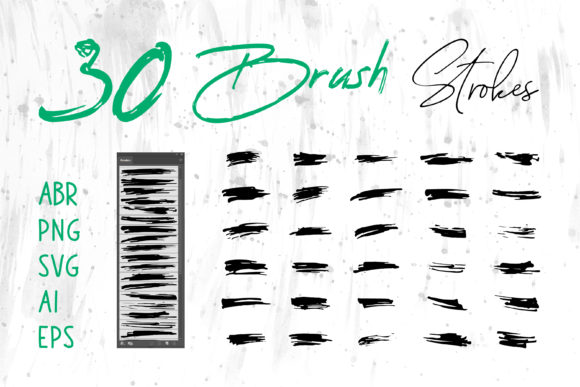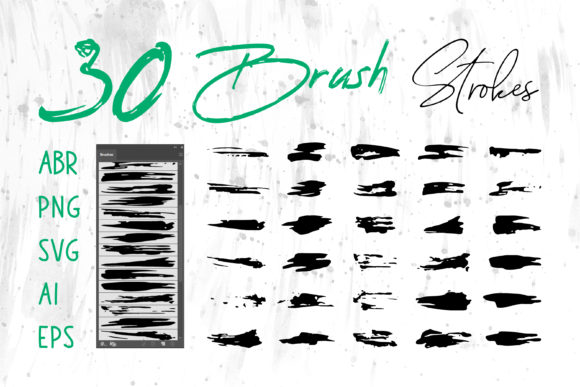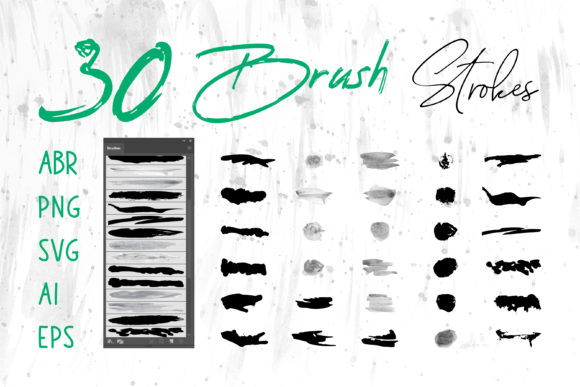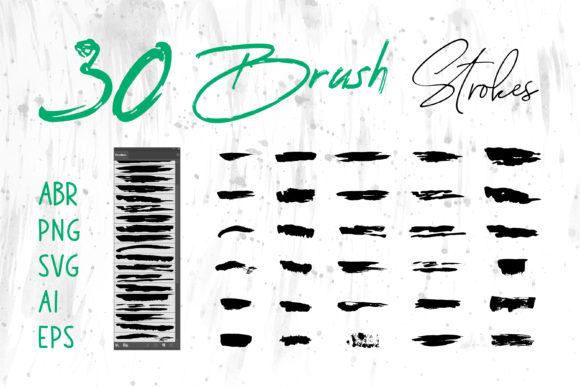
Master Your Design with a Grungy Brush Collection
There is a distinct power in imperfection. In a digital landscape often polished to a sterile shine, textures that feel raw, tactile, and human cut through the noise. This is where a comprehensive Brush Collection becomes an essential asset for any creative professional. Specifically, a Grungy Brush Set offers more than just visual noise; it provides a vocabulary of distress, history, and character that can transform flat vectors and clean layouts into something with soul. Whether you are a seasoned graphic designer, a small business owner crafting your own branding, or a hobbyist looking to elevate your digital scrapbooks, understanding how to leverage these tools can redefine your workflow.
The true value of a high-quality brush set lies not just in the aesthetic it provides, but in its versatility across platforms. Modern design rarely happens in a single application. You might sketch a concept on an iPad, refine it in vector software, and finalize it for print or web. A robust collection that includes files in ABR (Adobe Photoshop), ProCreate, PNG, SVG, AI (Adobe Illustrator), and EPS formats ensures you are never locked out of your creative flow. When you have access to brush strokes in different formats, you gain the freedom to use these assets in Adobe Illustrator for scalable logos, Adobe InDesign for editorial layouts, or even everyday tools like MS Word and MS PowerPoint for presentations that stand out from the corporate template crowd.
Bridging the Gap Between Digital and Analog
The term "grunge" often evokes images of 90s rock aesthetics, but in contemporary design, it has evolved into a sophisticated tool for adding depth. A well-curated Grungy Brush Set mimics the unpredictability of traditional media—dry ink, worn charcoal, splattered paint, and rough paper grain. These elements solve a common problem in digital art: the "too perfect" look. By introducing controlled chaos, you create visual interest that guides the viewer's eye and adds emotional weight to the composition.
Consider the practical application for a Book Cover designer. A thriller or mystery novel often benefits from a sense of unease or grit. Using vector-based grunge brushes in Adobe Illustrator allows you to overlay texture without losing the sharpness required for printing. Unlike raster images that can pixelate when scaled, SVG and EPS formats ensure that every jagged edge and speckle remains crisp, regardless of the book size. Similarly, for Packaging design, these textures can simulate the feel of recycled materials or hand-stamped labels, giving a product an artisanal quality that appeals to conscious consumers.
Expanding Your Creative Toolkit
The utility of this Brush Collection extends far beyond fine art or album covers. Marketers and social media managers can utilize these assets to create Social Media Banners that stop the scroll. In a feed dominated by smooth gradients and stock photography, a banner featuring bold, textured brush strokes conveys urgency and authenticity. Because the set includes PNG files with transparent backgrounds, integrating these elements into Canva, Photoshop, or directly into social scheduling tools is seamless.
For educators and corporate trainers, the inclusion of formats compatible with MS PowerPoint and MS Word is a game-changer. Presentations often suffer from visual fatigue. By incorporating subtle grunge borders, textured dividers, or hand-drawn emphasis marks, you can break up text-heavy slides and keep the audience engaged. It signals that the content is dynamic and thoughtfully curated, rather than a generic copy-paste job. Even simple internal documents or newsletters gain a layer of professionalism and style when accented with unique graphical elements.
Practical Applications Across Industries
Different users adapt these tools to meet specific goals. Here is how various creatives can interpret and apply a Grungy Brush Set effectively:
- Logo Designers: Use AI and EPS brush strokes to create custom logotypes for breweries, barbershops, or outdoor brands. The scalability of vector grunge ensures the logo looks great on a business card or a billboard.
- T-Shirt Artists: Combine ProCreate brushes for initial sketching with high-resolution PNGs for final print files. The distressed look is inherently popular in apparel, as it mimics the natural wear of vintage clothing.
- Web Designers: Incorporate SVG brush elements as background textures or section dividers on websites. Since SVGs are code-based, they load quickly and remain sharp on retina displays, enhancing user experience without sacrificing style.
- Craft Project Enthusiasts: Utilize the printable PNGs for digital planning, sticker creation, or invitation design. The variety of strokes allows for endless customization in digital scrapbooks.
Maintaining Clarity and Consistency
While the allure of grunge is its randomness, successful design requires intentionality. When using a Brush Collection, it is vital to maintain a balance so that the texture enhances rather than overwhelms the message. A common pitfall is over-texturing, which can reduce legibility, especially in Card designs or informational graphics. To keep results clear and effective, consider using opacity masks or blending modes. In Adobe Photoshop or Illustrator, lowering the opacity of a grunge overlay can provide just enough grit to add character while keeping the underlying typography readable.
Consistency is also key when building a brand identity. If you choose a specific style of brush stroke for your Logo, carry that same texture language through your Website headers and Social Media Banner assets. This creates a cohesive visual system that audiences recognize instantly. Organizing your files is another practical step; since you receive multiple formats, create a folder structure that separates vector files (AI, EPS, SVG) from raster files (PNG, ABR, ProCreate). This organization saves time during tight deadlines and ensures you always grab the right file type for the job.
Unlocking Originality in a Saturated Market
In a world where templates are ubiquitous, originality is a currency. Using a diverse Grungy Brush Set allows you to break away from the cookie-cutter designs that plague many industries. Whether you are designing a Packaging label for a new coffee blend or creating a Book Cover for an indie author, these tools give you the ability to inject a human touch into digital work. The variation in stroke width, density, and edge quality found in a premium collection offers nuances that standard filters simply cannot replicate.
Furthermore, the ability to manipulate these brushes across different software empowers you to experiment. You might start a project in ProCreate on the go, capturing a spontaneous idea with a stylus. Later, you can import those strokes into Adobe Illustrator to vectorize them, ensuring they are ready for large-format printing. Or, you might take a pre-made SVG stroke and recolor it in MS PowerPoint to match your company's brand palette instantly. This fluidity between programs is what makes a multi-format collection indispensable.
Ultimately, the goal is to let the tools serve your vision, not dictate it. A Brush Collection is a starting point, a library of possibilities waiting to be remixed. By understanding the strengths of each file format—from the editability of AI vectors to the ease of use of PNGs—you can approach every project with confidence. Whether you are a freelancer pitching to a new client or an entrepreneur launching a product, these grungy elements provide the grounding and authenticity that modern audiences crave. Embrace the mess, organize your workflow, and let the texture tell your story.